Skip to content

Royalty Free Music FAQs

I've been giving this music away for over a decade, which means I've answered more or less every question there is about it, some of them several hundred times. The answers are all below. If yours isn't, ask me. It's just me here, and I usually reply within a day or two.

Getting started

The short version: find a track you like, download it, and put a credit in your description. That's free, forever, for pretty much anything. If a credit isn't practical, buy a Pro Licence and skip that bit. Everything below is for when you want the detail.

Licence Types & Usage

What licence options are there?

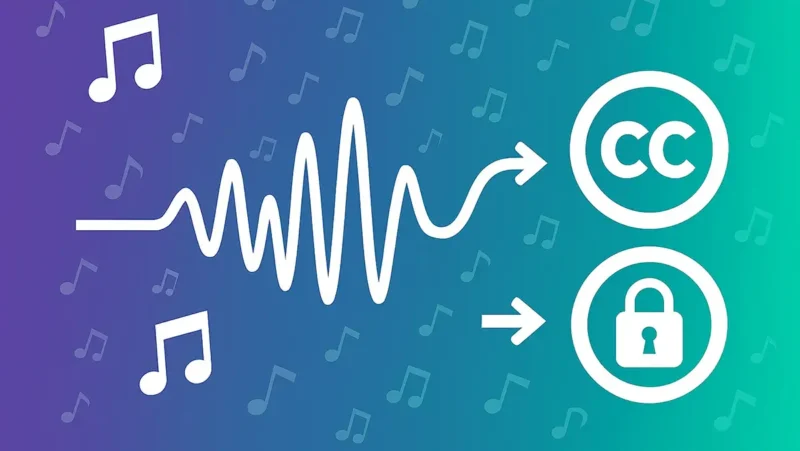
Two. The free one (Creative Commons Attribution) asks you to credit me. The Pro Licence ($30 per track) doesn't, and it adds WAV files and stems. Both let you use the music commercially and monetise it, and neither expires.

Free License

CC Attribution

FREE
  • Commercial Use
  • Monetisation
  • Unlimited Usage
  • Audio Format - MP3 360kbps
  • Must Give Credit
  • Stems not included

Pro License

No Attribution

$30
  • Commercial Use
  • Monetisation
  • Unlimited Usage
  • Audio Format - MP3 + WAV (≥ 16-bit, 44.1kHz)
  • No Attribution Needed
  • Stems Included

To buy a Pro Licence, find the track in the catalogue (or use the search bar), add it to your basket and check out.

What can I use the music for?

Nearly anything: YouTube videos and Shorts, TikTok and Instagram, podcasts, films, documentaries, TV, games, apps, adverts, business presentations, lessons, livestreams. Both licences cover all of it.

The two things you can't do are sell or redistribute the tracks as music in their own right (on a stock library, say), or claim you wrote them.

What counts as one "project" under a Pro Licence?

Think of it as everything that belongs together. A whole web series is one project, not one per episode. The same goes for a podcast series, a game, or an advertising campaign across all its ads.

What's the difference between royalty free and copyright free?

They get used interchangeably, but they're not the same thing. Royalty free means you don't pay ongoing fees to use it. Copyright free means nobody owns it at all (public domain). My music is royalty free: I still own the copyright, and you get a licence to use it, either Creative Commons or Pro. I've written more on licensing types here.

Why not just use the YouTube Audio Library?

Why not indeed, fill your boots. It's fine for YouTube. But it's locked to YouTube, so the moment you use a track anywhere else you're on your own legally, and there's nobody to help if a claim turns up (which they do). Here you get music you can take anywhere, plus an actual human when something goes wrong. Not bad for the same price of *checks notes* free.

What about AI music generators?

Whether anyone owns AI-generated music is still being argued in courts around the world. That means when something goes wrong it isn't always clear who's responsible, and spoiler: it tends to end up being you. I wrote a whole post about it.

Every track here was written by me, a person, so it's clear who owns it and who to call.

Attribution & Credits

Do I need to credit you?

With the free licence, yes. That's the deal. With a Pro Licence, no. (You're welcome to anyway, and I'll quietly appreciate it.)

How should the credit look?

For one track:

Music: [Track Title] by Shane Ivers - https://www.silvermansound.com

For several:

Music by Shane Ivers - https://www.silvermansound.com

If you're on YouTube, the credit needs to go in the video description, not just on screen. That's what Content ID looks for, and it's what stops claims happening in the first place.

Where do credits go on different platforms?
Platform Where to Place Credits Format
YouTube Video description (required) Music: [Track Title] by Shane Ivers - https://www.silvermansound.com
Podcasts Show notes Music by Shane Ivers - silvermansound.com
Games Credits screen Music by Shane Ivers (silvermansound.com)
Films End credits Music "[Track Title]" Written and Performed by Shane Ivers Licensed from silvermansound.com
Websites Footer or credits page Music: silvermansound.com
Instagram Post caption Music: @silvermansound
TikTok Use official sounds Search "Shane Ivers" in TikTok sound library
Twitch Channel panels or overlay Music by Shane Ivers - silvermansound.com

If you'd like the full picture on Creative Commons, I've written a plain-English guide to CC music licensing.

Downloads & Formats

What formats do I get?

Free downloads are high-quality MP3s (360 kbps). A Pro Licence adds a WAV (at least 16-bit, 44.1 kHz), and stems if the track has them.

What are stems, and how do I use them?

Stems are the track split into separate files for each instrument group: drums on their own, bass on its own, and so on. They let you strip a track back, rebalance it, or keep just the parts you want. If a track has stems, it says so on the track page. Here's my guide to using them.

You don't need editing software for any of this. My free Stemulator opens them in your browser. Drop in the stems zip from your order email (or, if you're on Patreon, sign in and open them from your account), then mute, solo or turn down whatever you like. “Underscore” takes the drums out for a calmer bed, and “Voice-spacer” makes room for narration. You get a WAV or MP3 back, and nothing is uploaded anywhere.

Can I download lots of tracks at once?

Yes, a few ways. You can buy the complete MP3 collection as one zip, or join Patreon for $5, which also gets you unlimited Pro Licences. Or you can download them one at a time like it's 2009.

Platform Guidelines

Online Platforms

How do I use the music on YouTube?

Put the credit in the video description (anywhere in it is fine) using the format above. That one line is what keeps Content ID happy. Monetisation is fully allowed, and it works the same for long videos and Shorts.

How do I use the music on TikTok?

The easy one. All my tracks are in TikTok's own sound library, so search “Shane Ivers” and use them from there. The credit's handled for you, and it's fine for commercial accounts.

How do I use the music on Twitch?

Your channel panels are the best place for the credit. An overlay, your stream description or a !music chat command works too. Or play the tracks from Spotify or Apple Music, which supports me through streaming as well.

How do I use the music in podcasts?

Put it in the episode description or show notes, or read it out in your credits if you do a credits bit.

How do I use the music on Instagram?

Put it in the caption: “Music: @silvermansound” is plenty. For several tracks, “All music by @silvermansound”. That's fine for business accounts.

How do I use the music in games and apps?

The credits screen is ideal. If you haven't got one, an About or Options menu, or your documentation, works fine.

How do I use the music in films and videos?

End credits are the obvious place, and I'm not fussy how you format it. If the film has an IMDb page, a credit there would be lovely.

How do I use the music on websites?

Use the footer, an About or credits page, or a line near the player. Wherever someone curious would look.

How do I use the music in business presentations?

The last slide or the handout. Nobody reads either, but they're there.

Physical & Live Venues

How do I credit music in a physical space?

The rule's the same everywhere: put the credit somewhere a reasonable person might actually find it. Being findable matters more than the format. “Music by Shane Ivers, silvermansound.com” is plenty, and a QR code to the track page is a nice touch if you can.

Some places that work:

  • Theatres and cinemas: the programme, the end-of-show projection, or a lobby display for a longer run.
  • Shops, cafés, bars and hotels: a card at the counter, a line on the menu, your website, or a screen you're already running.
  • Museums and galleries: the credits panel, audio guide, catalogue, or a small plaque for a permanent piece.
  • Escape rooms: your briefing area, game notes, booking emails or website.
  • Events, festivals and trade shows: the programme, information boards, screens, or the event website or app.
I'm using it in several locations. Is that OK?

Yes. Each location just needs a credit somewhere, or a Pro Licence covers the lot.

What if there's genuinely nowhere sensible to put a credit?

A credit on your website or social media counts. It doesn't have to be physically in the building. If even that's awkward, a Pro Licence removes the need entirely.

Broadcast & Radio Usage

Is the music cleared for broadcast?

Yes: TV, commercial and community radio, internet radio, live or automated, national or international. The music is registered with PRS and PPL in the UK, so it goes through the normal channels like any other music.

Do I need to report usage to a performing rights organisation?

Yes. Report it as you would any other music. That's how I get paid for broadcast use, so it genuinely helps.

How should I credit it on air?

A back-announce (“music by Shane Ivers”) is lovely if there's a moment for it. Otherwise your normal playlist reporting, plus a credit in the show notes or station website, does the job. For internet radio, put it in the stream's track data: [Track Title] – Shane Ivers (silvermansound.com).

Where do I find ISRCs and other details?

Every track page lists its ISRC, and there's a master list with all of them. If you need PRS/PPL details or a cue sheet, ask me.

Copyright Claims & Content ID

I've had a Content ID claim on YouTube. What do I do?

First, don't panic. They happen occasionally, and they're nearly always quick to sort out. Check your description has the credit in it, then fill in the release form on my claims page. I deal with these myself and try to get them cleared quickly.

How do I avoid claims in the first place?

Add the credit before you publish, not after. Check the spelling, and include the website link. Both matter more than you'd think. You don't need to credit any channels that have re-uploaded or “promoted” my music, just me.

Why does it matter that you handle claims yourself?

Because most music libraries can't. If you use a platform library or AI music and something goes wrong, you're largely on your own. I'm a real person, registered with PRS and PPL, I own my whole catalogue outright, and I can step in when YouTube's robots get it wrong. A subscription service won't do that for you.

Usage Tips

Any good habits worth getting into?

Credit as you publish, not later. Keep a list of which tracks you've used where, because future you will thank you. Link back if you can. And you're always welcome to credit me even when you don't have to.

How do I find the right track?

Search the site, or use the mood, genre and instrument filters on the Royalty Free Music page. The collections are handy if you've got a theme in mind. If you want new tracks as they come out, the newsletter's the way.

Content Creation

Can I edit the music?

Yes, go for it. Cut it, loop it, add effects, change the speed or pitch, whatever your project needs. The only things you can't do are release it as music in its own right or call it yours.

Can I make a track fit my video’s length?

Yes, and you don’t need an editor for it. My free Lengthinator trims or extends any of my tracks to the exact length you need, on the beat, keeping the real ending. It also does seamless loops for games and streams, short stings for intros and logo reveals, and mixes of several tracks with crossfades. It all runs in your browser, so nothing gets uploaded, and every track page has a “Fit to my length” button that opens it with that track loaded.

Can I change which instruments play?

If the track has stems, yes. See stems above, or go straight to the Stemulator.

Support Options

How can I support what you do?

The cheapest way is free: use the music and credit it, and share it if you like it. Beyond that, there's Patreon, a one-off donation, or buying a Pro Licence. All of it goes straight back into making more music (and, occasionally, crisps).

What do Patreon members get?

Unlimited Pro Licences, WAVs and stems, bulk downloads, early access to new tracks, and some bits that only go to patrons. The top tier, Composer's Circle, also gets a track written for them. If you use the music regularly, it pays for itself pretty quickly. Join here.

Still have questions?

Read more:

Get in touch. It's me who answers, usually within a day or two.

Support free music + get unlimited licences

Support me on Patreon!

Sign up now

Before you go...

Why not sign up to the newsletter to get an email every time I release a new piece of music? Go on!

Subscribers also get instant access to my Copyright Claim Survival Guide, and can start sleeping soundly again.

Copyright Claim Survival Guide cover

Thanks for downloading! I'm glad you like the track!

Please donate if you can. It costs a lot of money to keep this site up and running — whatever you can do to help is so, so appreciated.

Feel amazing in 60 seconds, you generous, wonderful person...

Donate via PayPal

Become a patron of the musical arts — feel cool, and get rewarded...

Sign up to Patreon

Become a musical trendsetter, and never miss a track...

Join the newsletter

Remember:

  • Credit required for free use
  • Pro License available for no attribution
View licensing guide

Need to know every time a fresh track drops?

Wow, you made it here? It seems that you like what you hear! Fancy receiving some musical goodness directly into your mailbox?